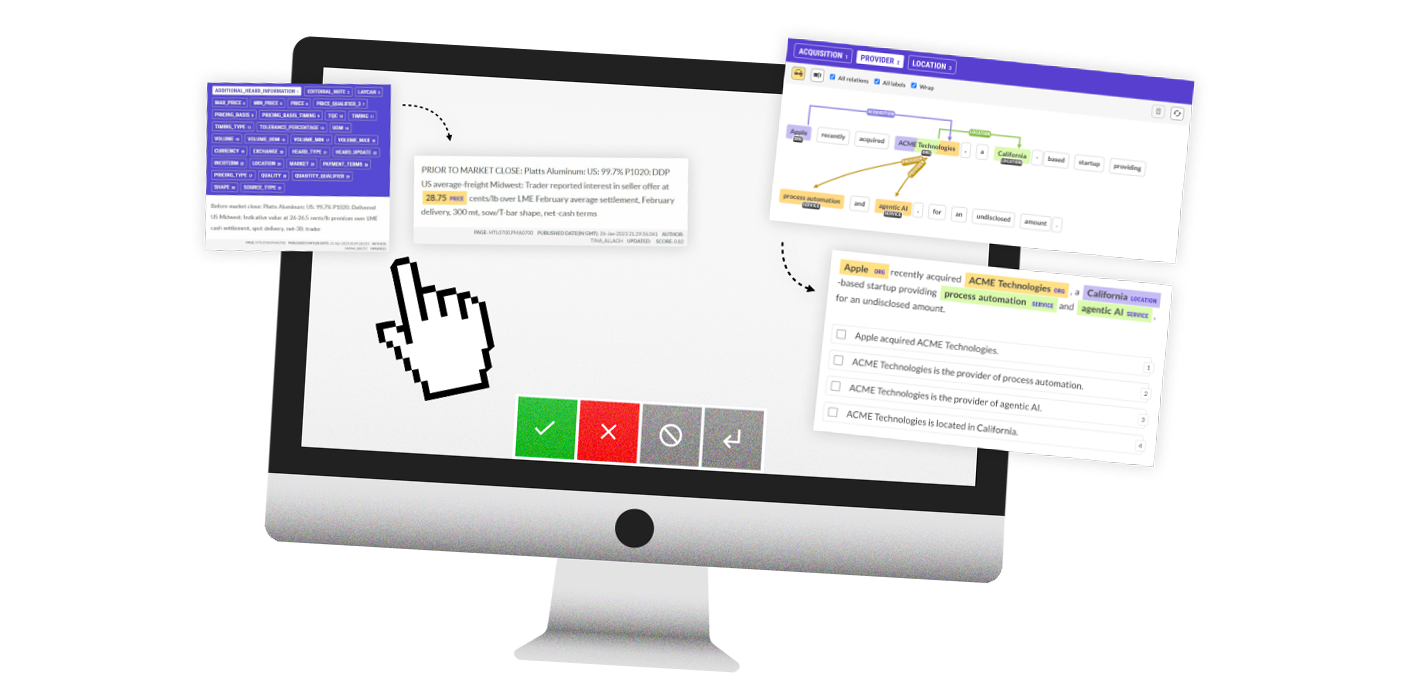

With custom NLP development becoming more accessible, there’s also a renewed focus on data, annotation and human feedback.
Almost 10 years ago now I wrote extensively about data collection and the role of user experience, which went on to inspire the design of our annotation tool Prodigy. With transfer learning and the ability to use Generative AI models to create systems (rather than using them as systems), and models providing development support, building AI features in-house has become achievable for everyone. This is the future vision I outlined back in 2017, and it’s very satisfying to finally see it come to fruition.
This blog post collects all of our tips and advice for how to build efficient human-in-the-loop data development workflows, break down business problems into actionable annotation steps and make the most of automation and model assistance.
Table of Contents
Update (October 2026)
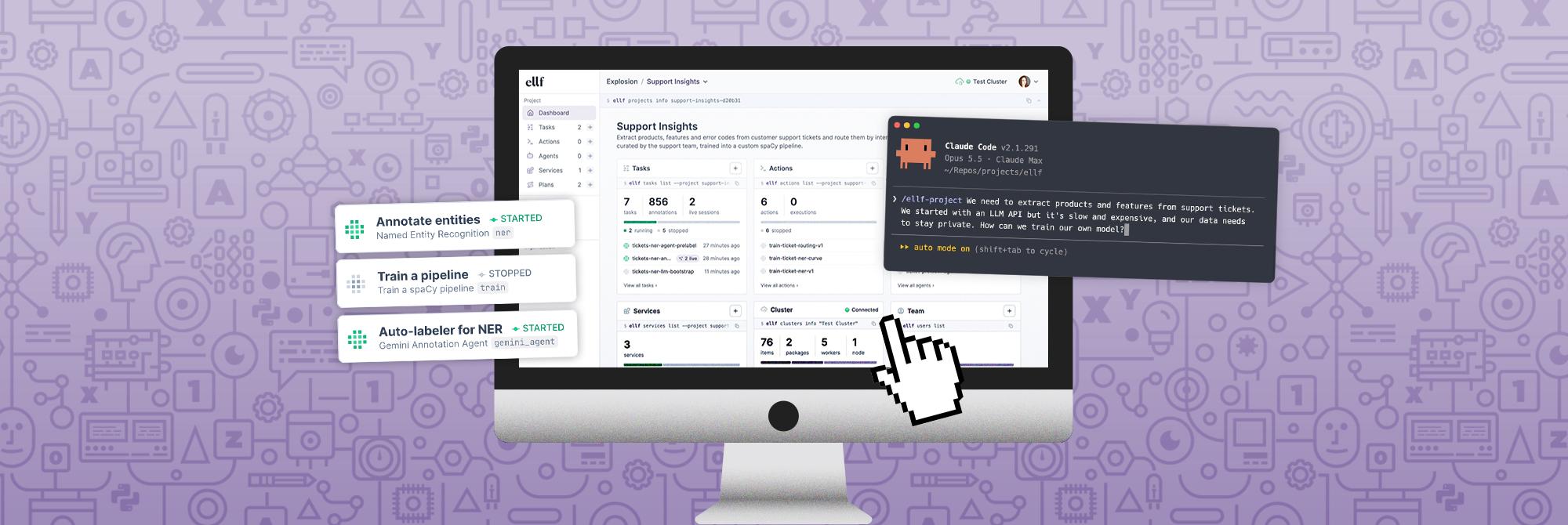
To automatically apply the strategies from this guide to your project, check out Ellf, our new virtual assistant and platform for agentic NLP development. Ellf gives your coding assistant like Claude Code superpowers for planning and executing NLP projects and includes our distilled expertise and annotation best practices from 10+ years of solving NLP problems in industry.
1. Design your label scheme carefully
Let’s say you’re tasked with building a database from news reports about crime that should record details like locations, perpetrator and victim names and offense dates. There are multiple ways you could encode the information you want to extract as span or whole-text annotations.
One of the first approaches people often come up with is something like VICTIM as a span annotation. But why not be even more specific than that? We could have labels for STABBER and STABBEE if we wanted. But the more information we fold together into the labels, the more data we’ll need to learn them. You need to see examples of specifically knife attacks to learn a STABBEE label. A VICTIM label just needs the sentence to be about a crime, and the person to be in a particular semantic role for the event.
Generally we want to factor out these separate pieces of information and make the labels as atomic as we practically can. A label like PERSON works well because it’s very general, so general that there’s a lot of pre-existing models that can be leveraged for it. It does leave a lot of extra work to do, and at some point there’s a balance to be struck where learning things jointly is good. A semantic role annotation like VICTIM might be good, actually – but it’s a decision to really think about.
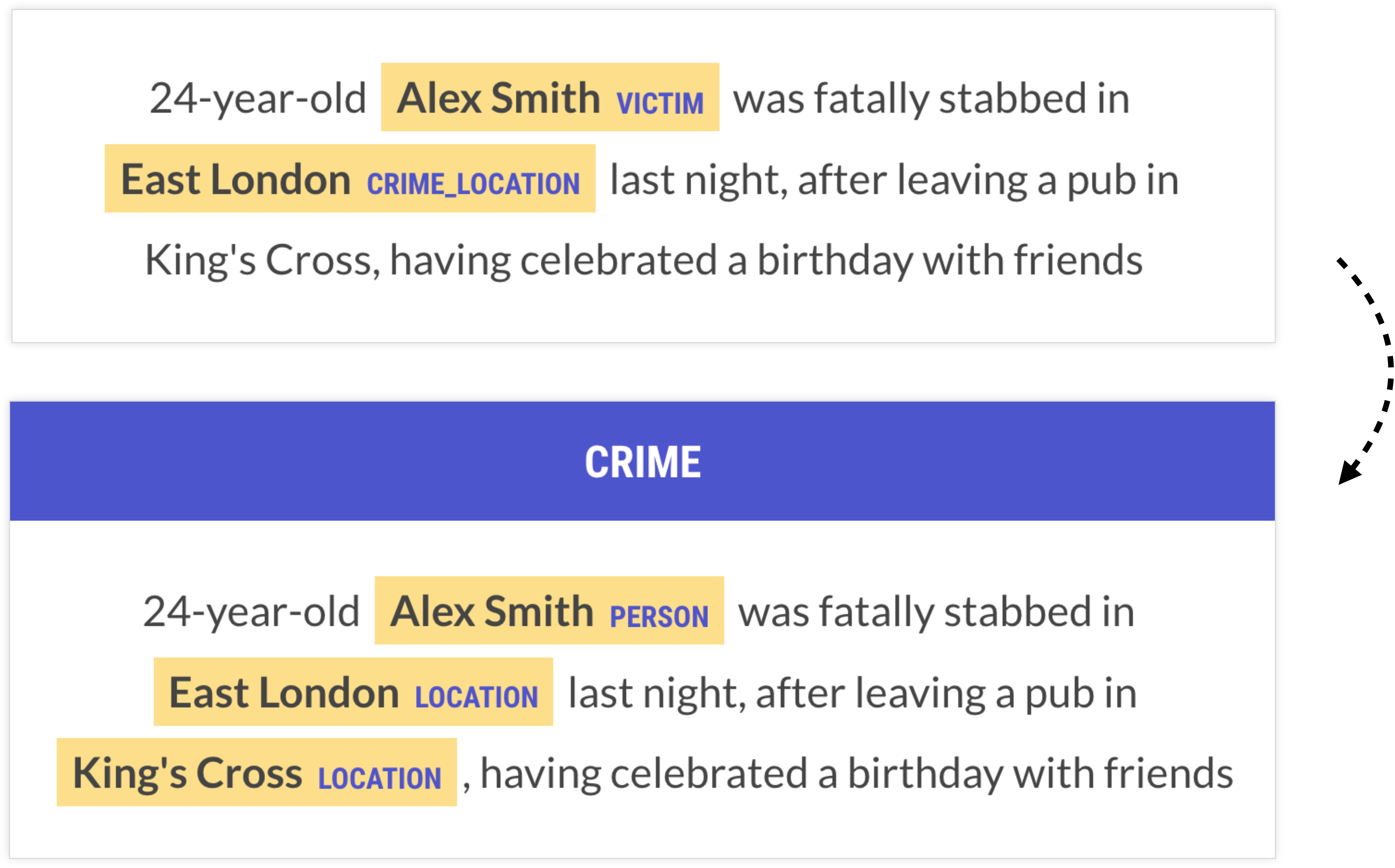
The first thing people usually think to do is to make the spans say exactly what the output should be. But this often couples more data than you really need to. At least ask yourself whether you can get by with a really generic label on the entity plus a sentence label, and maybe a couple of rules. If you know a sentence is about a crime, and you know which spans are the people, can you write a few rules to figure out who the victim is? If so, that’s probably going to be a better approach than a VICTIM label as an entity recognition task.
Factor out business logic
Another example that shows the importance of the right label scheme is this one of PII anonymization: to help with redacting names of minors in legal documents, a developer came up with the labels MINOR_NAME (the name of the person) and MINOR_DOB (their date of birth).
This label scheme introduces a glaring problem: we can’t rely on the text to give any indication of whether it’s about a minor, so all we have is the date of birth. This is something that the model can learn, but it makes its job pretty hard and likely requires a lot of data. Even more importantly, who is considered a minor changes daily, as time progresses, which means any model you do train will essentially be outdated tomorrow. A much better approach would be to “factor out” this part of the logic and focus on more generic labels like NAME and DATE, or even DOB – and then simply use maths to calculate whether the person is a minor.
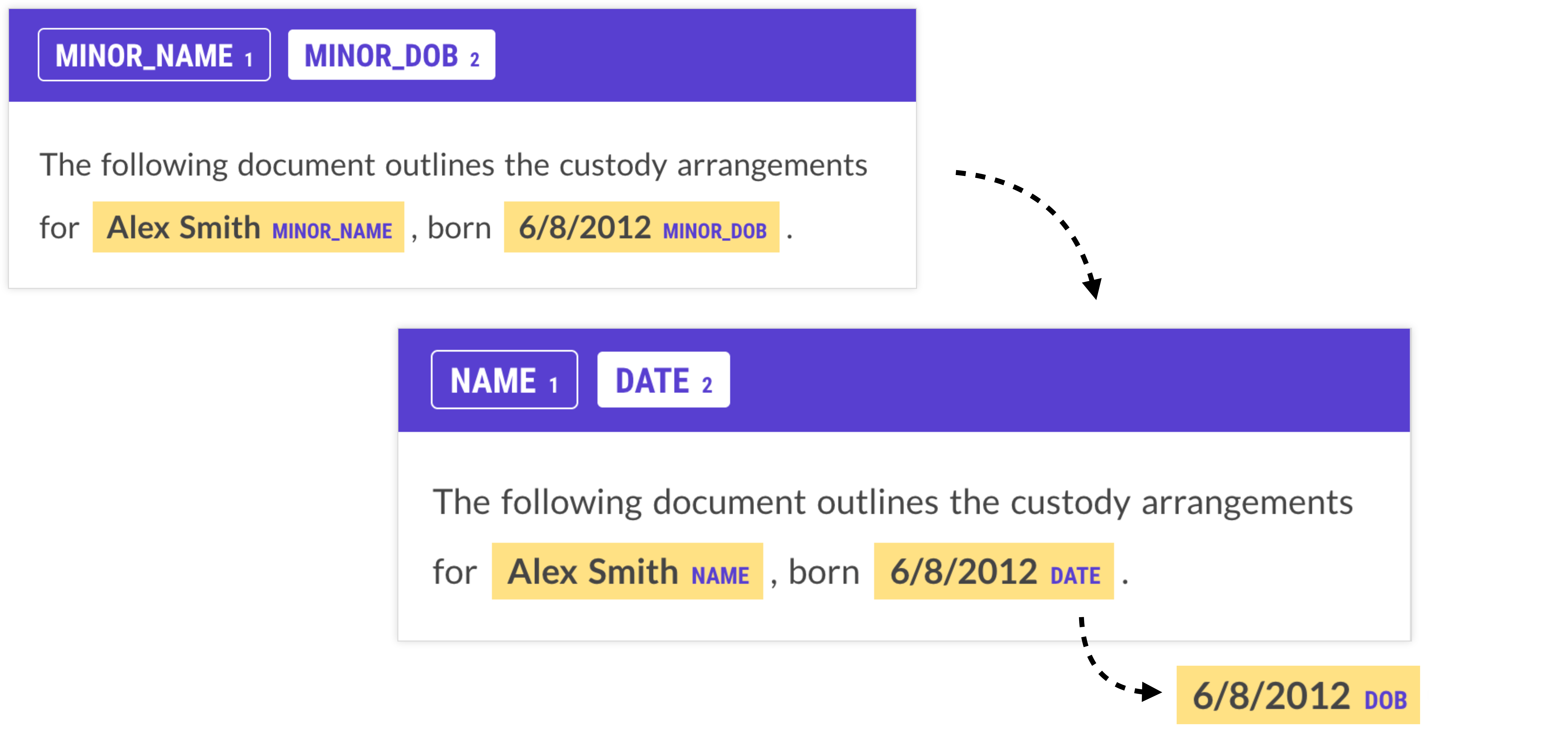
While this case seems pretty obvious in hindsight, it’s an easy mistake to make – even more so if you’re dealing with complex and highly domain-specific data and categories. To avoid this trap, carefully consider which information is specific to your problem and not general to the language itself, and refactor your task to separate the two.
When we refactor code, we’re often trying to regroup the logic into functions that have a clear responsibility, and clearly defined behavior. We shouldn’t have to understand the whole program to know how some function should be behaving – it should make sense by itself. When you’re creating an NLP pipeline, you’re also dividing up computation into a number of functions. In simple terms, this can be broken down into a formula like this:
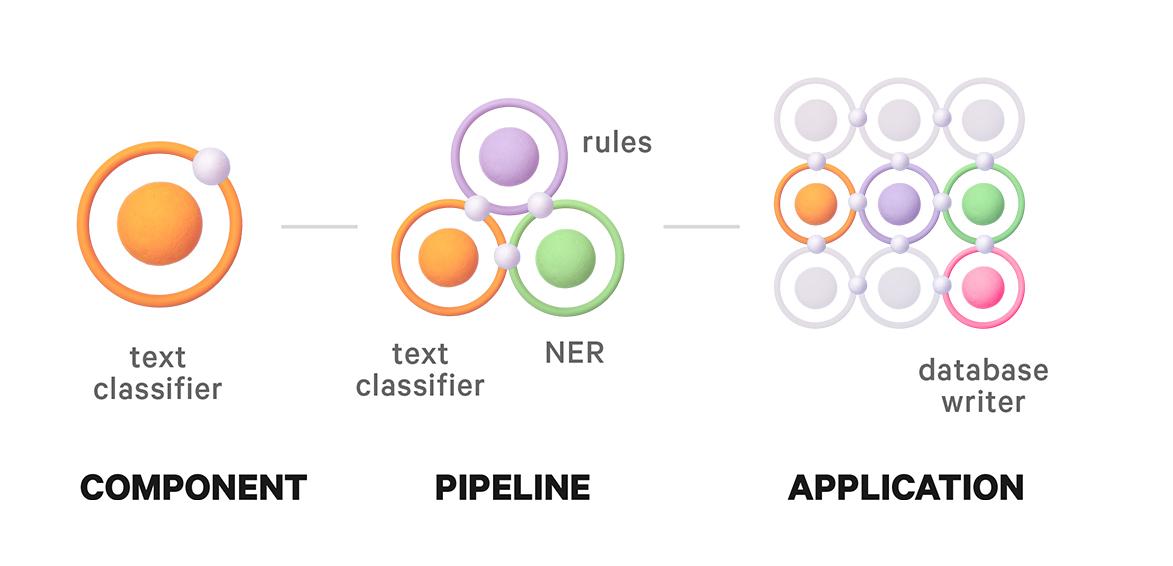
result = business_logic(classification(text))In another real-world use case, GitLab’s solution for processing support tickets from different platforms included identifying the general-purpose features they needed, like product names, versions, and topics, and separating them from the logic producing the insights. This also made it easy to adapt the system to new scenarios and business questions without having to retrain the model and re-process the data.
Update (June 24, 2026)
For more details, also see our blog post on Atomic NLP, which outlines an applied NLP methodology for building reliable NLP systems out of small, composable components instead of one big model and a prompt.
2. Keep tasks small and simple
The most valuable use cases for AI and machine learning are those that are very specific. Often, the decisions require subject matter expertise, fine-grained distinctions and possibly detailed annotation guidelines to handle ambiguities and edge cases. This makes the tasks intrinsically complex.
However, we sometimes forget that we’re allowed to make problems easier. There are many ways to collect the underlying information we need to train and improve models, and we’re allowed to reframe the problem to optimize for human capacity. This process of breaking down larger business problems into machine learning components and annotation tasks is probably one of the hardest parts of applied AI development. There’s no one-size-fits-all playbook and the solution requires the right mindset and always needs to be evaluated in the context of the application.
Humans have a cache, too!
We’re used to considering memory requirements and caching when dealing with computational processes, but it’s just as important for humans. We have a limited working memory, and retrieving and iterating over information from our cache is costly for productivity. But we can change how we present a task to require less of it. The following pseudocode illustrates how the same task with the same complexity O(n×m) can be achieved with and without requiring a human to access their mental cache and switch focus for every decision:
# ✅ Do thisfor label in labels:  # iterate over labels    for example in examples:  # iterate over examples        annotate(example, label)
# ❌ Not thisfor example in examples:  # iterate over examples    for label in labels:  # iterate over labels        annotate(example, label)
With an approach that iterates over examples first, the annotator is forced to “reload” the full label scheme for every example. This is more than just a list of label names – it also includes fine-grained label definitions and their application in different contexts. Most of the time, only a small subset of labels is relevant for a given example, but the annotator will have to mentally iterate over all of them regardless. With a labels-first approach, the human annotator is able to focus on a single label definition and hold it in mind for all examples.
To make this more concrete, let’s say we have a multi-label text classification task with a large number of categories. Incidentally, those use cases are still among the most challenging for general-purpose LLMs, so they often require specialized annotation effort.
A naive way of presenting this task to a human might be to show them a text and ask them to select the categories that apply. However, this means that for each example, the human will have to think through the entire label scheme, continuously switching focus between (likely very) different concepts. In addition, displaying long lists of choices is challenging without introducing more complexity: it’ll likely involve scrolling through available options, maybe a typeahead field that makes the user switch to their keyboard, or multiple clicks to update or correct a selection. And every click introduces potential for human errors.
In a previous post I walked through an example of aspect-oriented sentiment analysis to extract structured data from phone reviews. While it’s possible to annotate this all in one, it requires the annotator to continuously switch between thinking about battery life, camera, performance and design, which may or may not even be mentioned in the text.
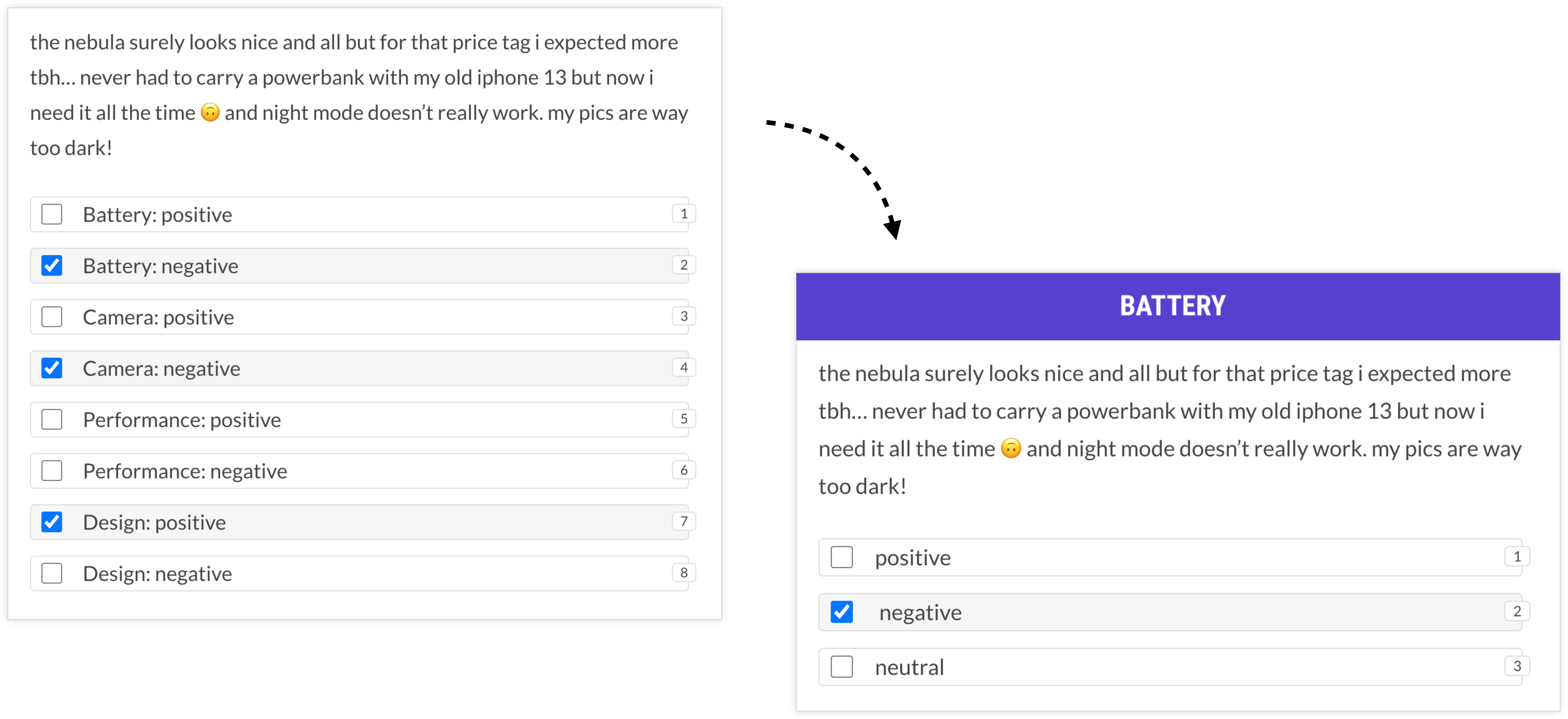
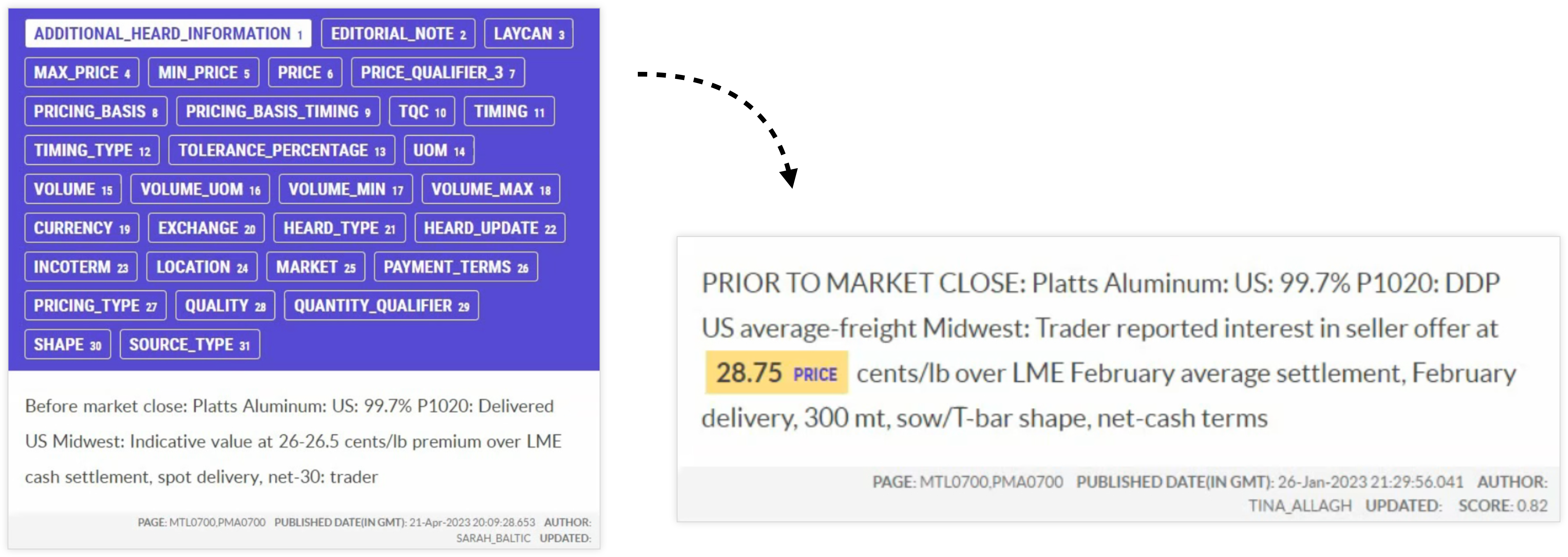
An alternative solution that takes cognitive load into account could instead make multiple passes over the data and focus on one concept at a time. For the entire first session, all the annotator has to think about is battery life. This can be much faster overall and also reduce the potential for human errors due to misclicking or information overload.
This approach was also validated in a case study project that managed to make annotation more than 10 times faster by reframing the questions as almost binary decisions. To reduce cognitive load, humans were presented with a single label at a time and made multiple passes over the data, one for each label. While this sounds like more work in theory, it actually ended up being drastically faster.
Choose the right task type
We should also always question what type of data we actually need. A common instinct people have is to focus on identifying subsequences of text because the more specific the data, the better, right? However, many problems we’re interested in aren’t expressed as any particular constituent, so the subsequences of text will be completely arbitrary. In a machine-facing system, arbitrary sequences of text are almost as impractical as unstructured natural language.

For example, many problems we may initially conceptualize as span annotation are actually text classification problems. If we approach them this way, the task suddenly becomes a lot easier and the human only needs to decide which categories apply, as opposed to selecting (arbitrary) spans of text. The information we extract at the end will be just as useful, if not more useful, for the final application.
3. Use model assistance and automate
One of my favorite UI features in Prodigy is the ability of spans to automatically “snap” to token boundaries. Selecting spans of text is very common in annotation and the resulting data can be used to train models for tasks like named entity recognition, span categorization or relation extraction, or put differently, token classification. Here, the annotations need to map to token boundaries in order for the model to learn tags for each token, e.g. whether it’s part of a given entity like PERSON.
Tokenization is something we can – and should – automate. The human annotator should not have to painstakingly assign boundaries that we already know upfront. The advantage is two-fold: the selection doesn’t have to be pixel-perfect and users only have to roughly hit the words, which makes annotation much faster and reduces friction. In addition, the annotated spans will always map to valid token boundaries that the model can learn from.
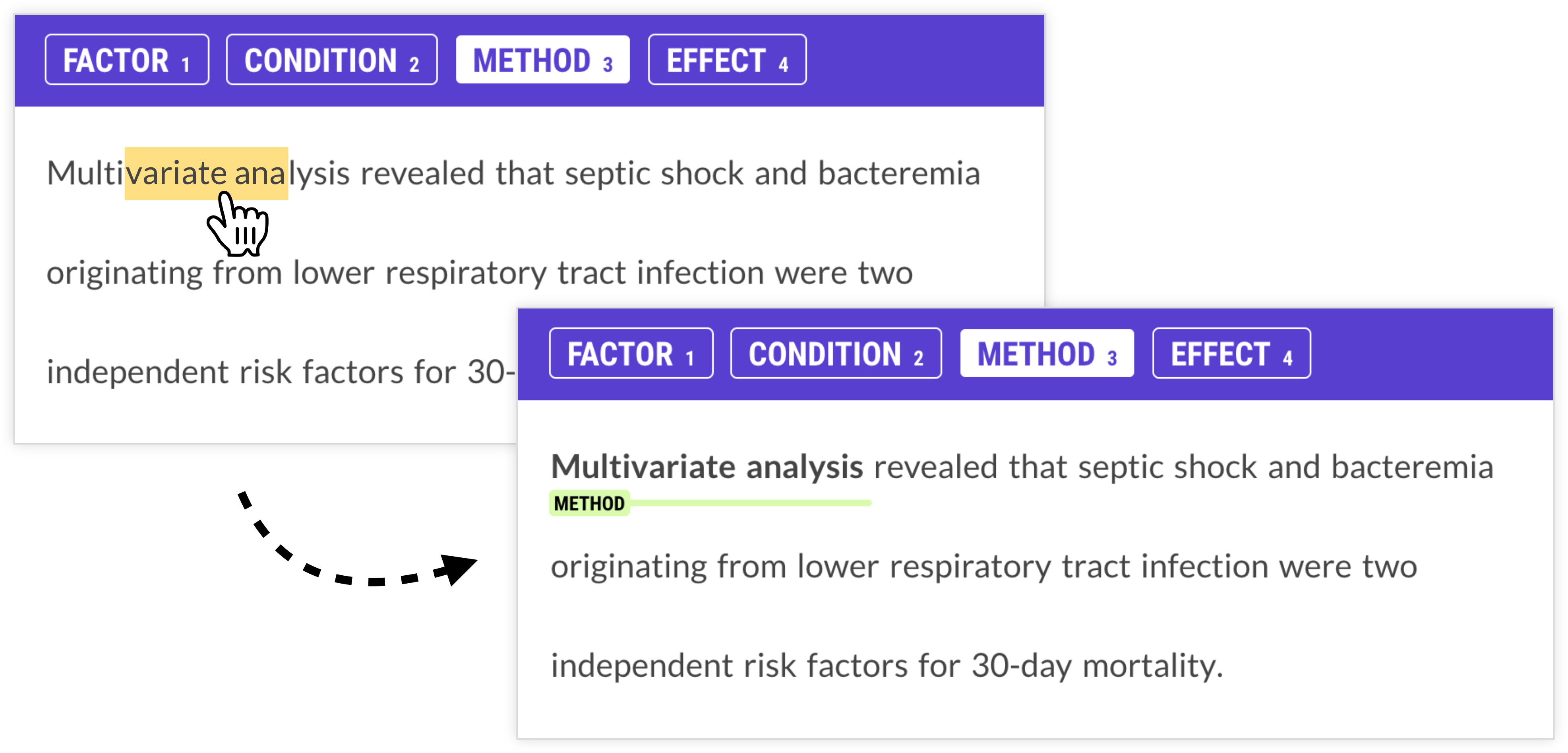
There are many ways we can use interfaces to reduce choices and enforce structure at the same time. We can only allow the selection of tokens that are actually relevant, and disable those that we know can never be part of a span or relation. We can also reframe tasks as binary questions so the only valid answers are “yes” and “no”. And we can use a model in the loop to make suggestions, so the human only has to intervene if the model makes a mistake.
Don’t be afraid to reframe tasks
Often, reframing the task will lead to annotation workflows that are very different from the information extraction process the model will perform. In this use case for instance, the goal is to link company names to their locations and provided services, and extract information about company acquisitions (who acquires who).
If we’re translating this business problem directly, we can’t easily avoid relation annotation, which requires a lot of clicking to connect words or entities to each other. And with long dependencies over long documents, this can get messy. But it doesn’t have to be if we take a step back and reframe the entire task from the ground up.
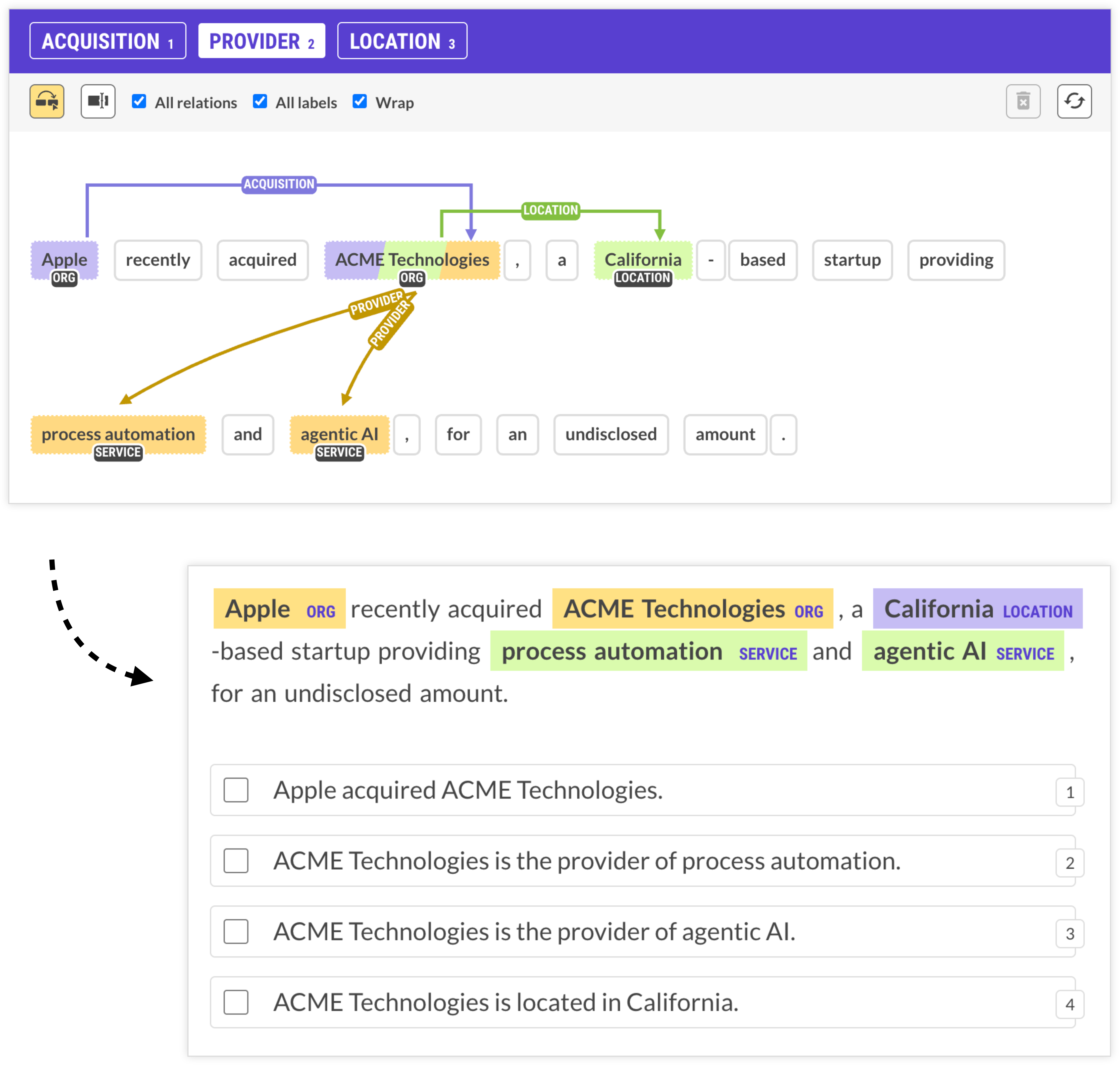
This example uses an LLM to extract the required entities and define natural-language hypotheses expressing possible relations, presented as straightforward multiple-choice statements. The annotator now only has to select all sentences that apply, and the underlying structured information used to generate the hypotheses gives us the same information we would have gotten from manually selecting the relationships.
This type of approach makes an especially big difference for cases with long distance relations spanning across sentence boundaries that are impossible to capture with rule-based logic alone, and incredibly tedious to annotate manually.
When designing your annotation tasks, think beyond just literal translations of your business problem into interfaces. There are usually many different ways of collecting the same underlying data, so try to find the one with the least amount of cognitive load and potential for error. This means reducing repetitive clicking and dragging and too many choices that require the annotator to switch focus.
Related research
A study by IBM Research (Desmond et al., 2021) investigated the impacts of AI assistance on human annotation for tasks with large label sets, and found significant accuracy improvements. Humans didn’t just blindly follow suggestions, either, and only selected the model’s top prediction if applicable. Interestingly, the experiment also showed that sorting labels by confidence instead of alphabetically noticeably disrupted the humans’ spatial memory. As soon as annotators had to click “view more” to see additional labels, they were generally slower than unassisted labelers. This again highlights how user interface decisions and task presentations impact annotation results and performance.
Use models as annotators
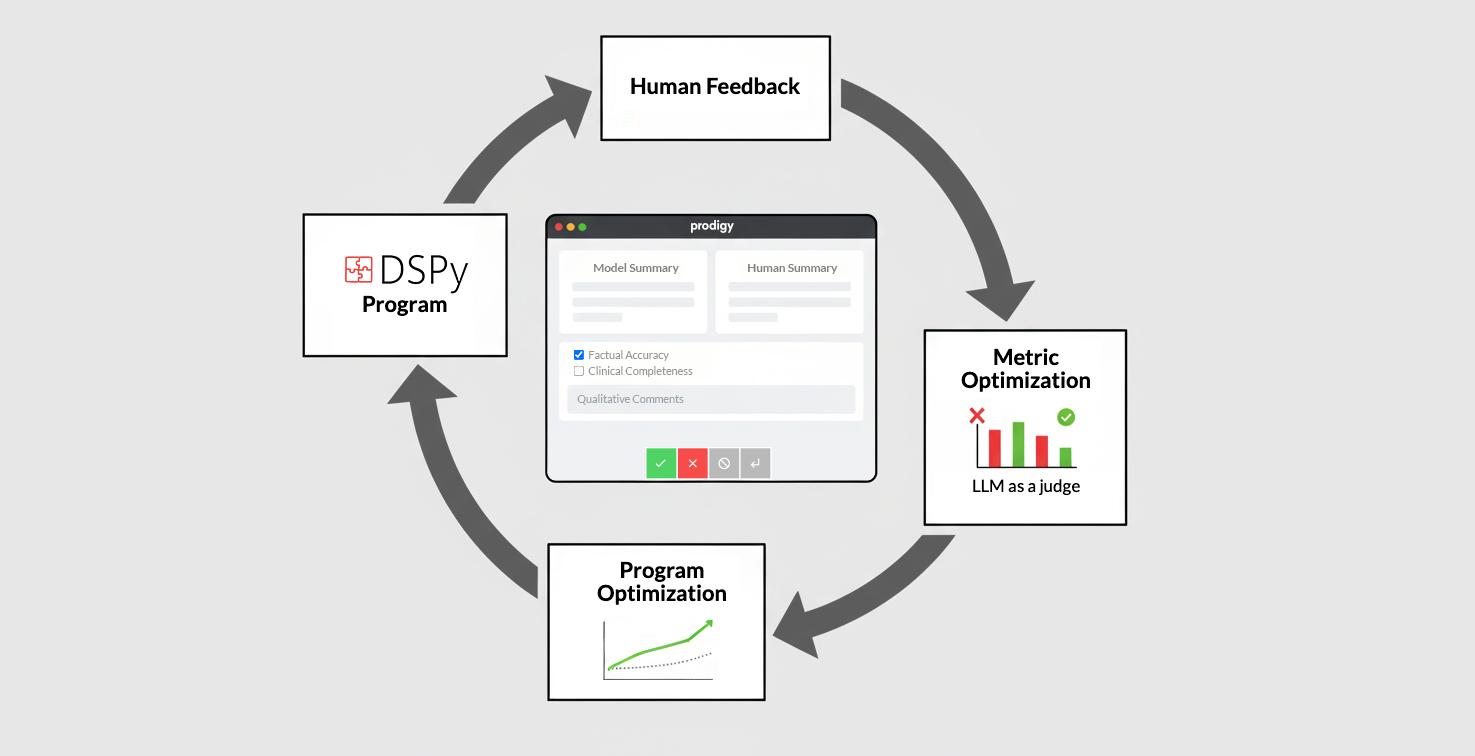
In addition to using them for pre-annotation and automation, Large Language Models can also act as independent annotation agents. You can run multiple different models, compare their results to human annotations and resolve conflicts to create your training dataset.
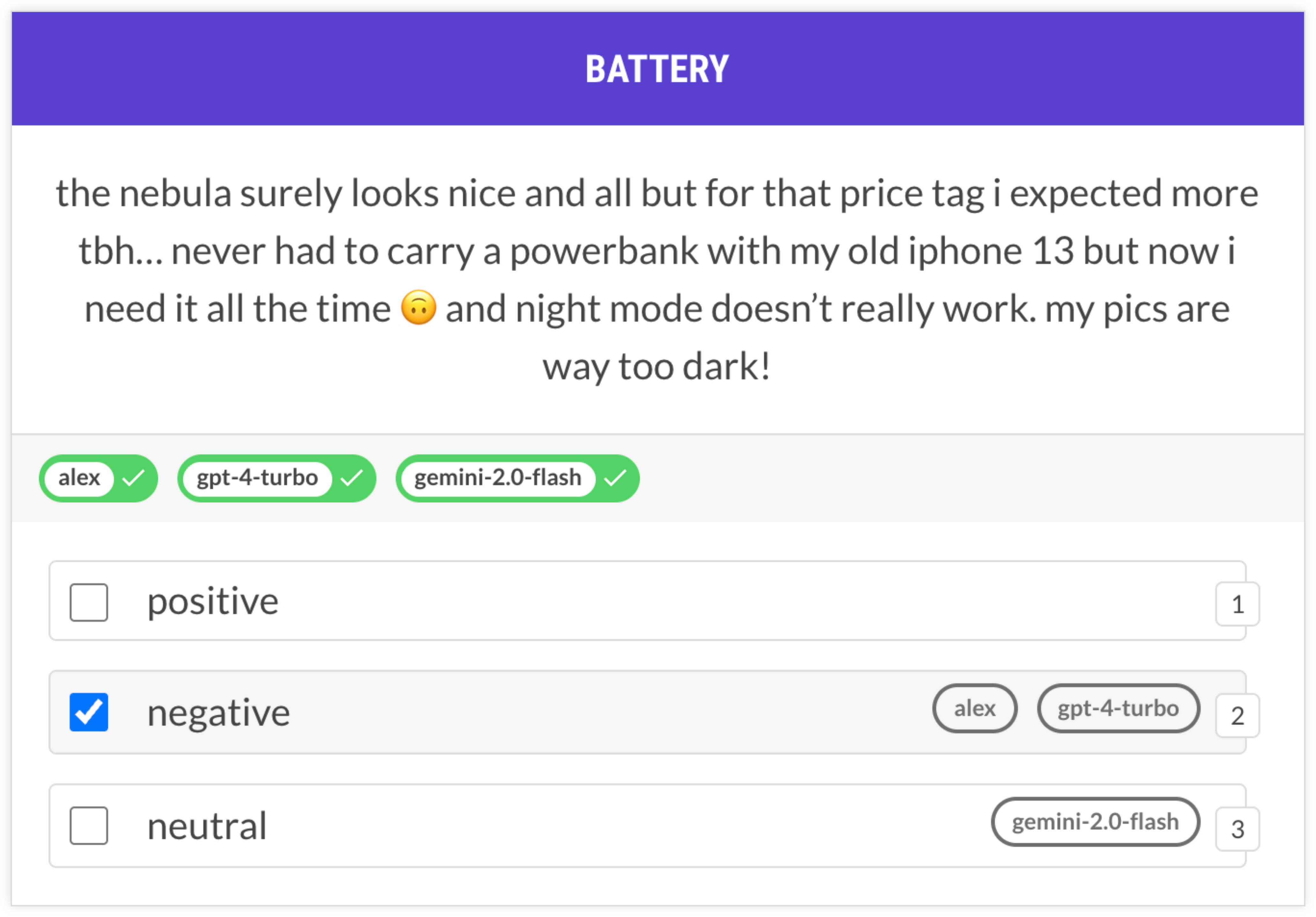
While you don’t typically want to rely on model-generated annotations sight-unseen, this workflow can be very effective for speeding up annotation and diagnosing potential problems, e.g. frequent disagreements between human annotators and annotation agents.
Update (July 2026)
Our new platform for agentic development, Ellf, helps you implement and scale up modern annotation workflows in the cloud and includes out-of-the-box support for annotation agents. Agents are powered by LLMs and can be assigned to annotation tasks alongside human annotators.
4. Train early and often
The great thing about transfer learning is that you can already get meaningful results with relatively little data. This also means you can start training as soon as possible to get feedback on whether your approach is working.
When working on data, an important question is: should you keep going? And are more examples like the ones you have likely going to improve the model? The train-curve diagnostic simulates training with different portions of the data and records if accuracy is improving. If annotation improves in the last segment, this is typically a sign that more examples are likely to improve the model further.
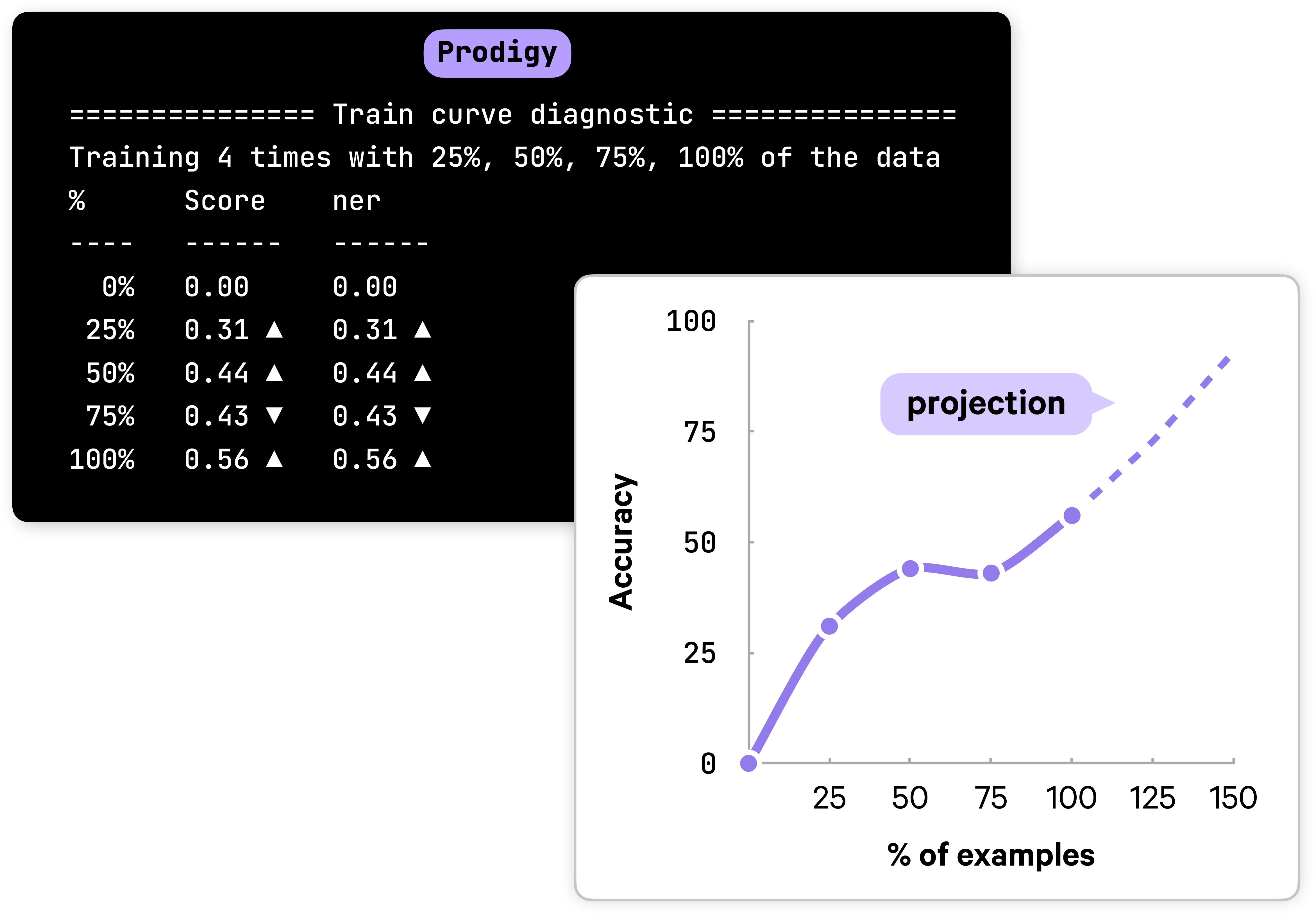
In the above example, the increase in accuracy in the last quarter is a sign that you probably should keep going for a little bit. If accuracy does not improve, it’s probably better to regroup, analyze and debug your data, perform a more in-depth error analysis and reassess your label scheme.
Conduct pilot projects
Designing the right label scheme and deciding how to break down your problem always requires iteration. Just like with code, you’re probably not pushing the first idea that comes to mind to production. This is why we always recommend starting as soon as possible and engaging with the data before you scale up annotation efforts. Make sure to record any edge cases or ambiguous decisions you come across, as these may point to problems with your label scheme and task setup.
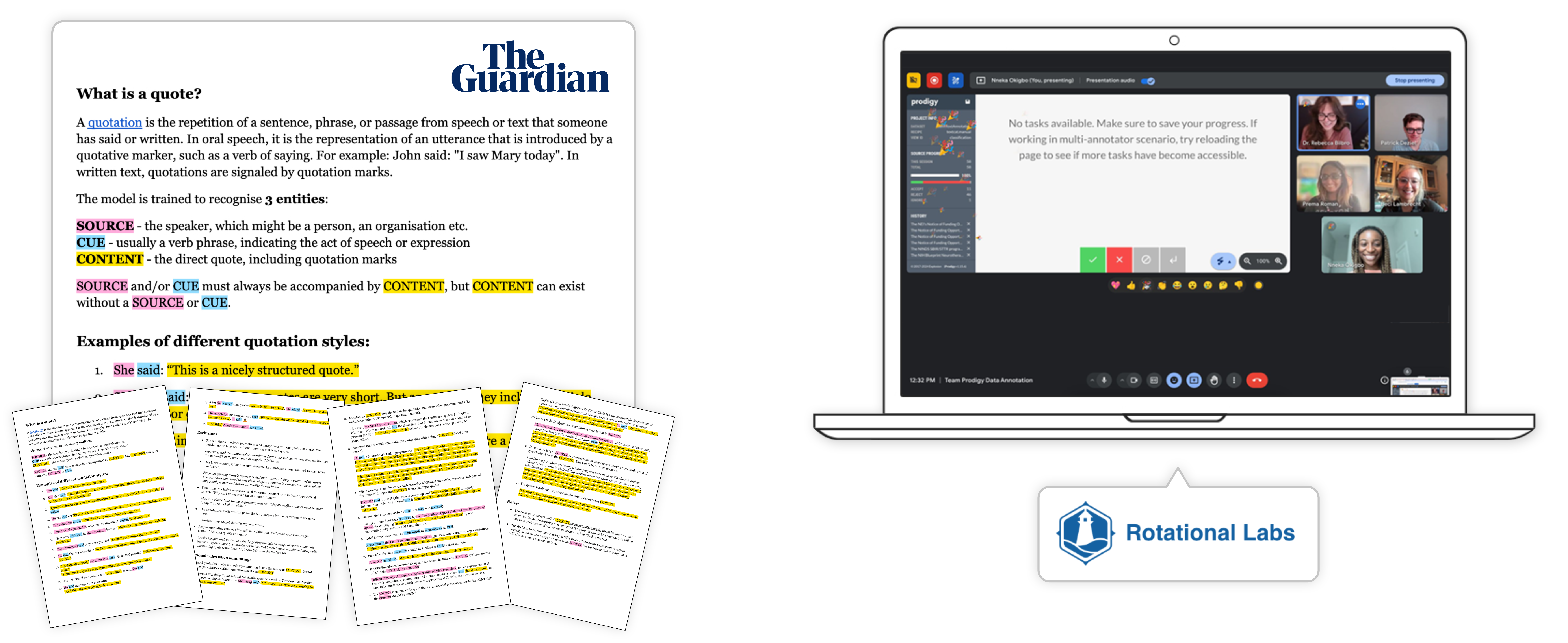
For example, the team at the Guardian used insights from engaging with their data to craft comprehensive annotation guidelines. Rotational Labs went one step further and hosted regular annotation meetings to discuss progress and edge cases together.
Checklist
If you’re getting started on a new project, here are some questions you can ask yourself to optimize your workflow:
- Are my labels as atomic and generic as practically possible?
- Does my label scheme separate business logic from language understanding, excluding information not available in the text or details that change over time?
- Can I use generic labels combined with rules or post-processing instead of overly specific ones?
- Am I focusing on one concept at a time to reduce cognitive load and context-switching?
- Can I reframe complex tasks like span or relation annotation as simpler decisions like text classification or multiple choice?
- Can I break down my task into multiple steps and make multiple passes over the data with simpler questions?
- Am I automating repetitive decisions like token boundary selection and using models for pre-annotation?
- Does my interface minimize unnecessary clicking, dragging and choices?
- Have I considered using LLMs as annotation agents alongside human annotators?
- Am I training early and using diagnostics like a train curve to validate my approach?
- Have I conducted a pilot project and documented edge cases in annotation guidelines before scaling up?
Resources
- Prodigy: A modern annotation tool for NLP and machine learning
- A practical guide to human-in-the-loop distillation: How to distill LLMs into smaller, faster, private and more accurate components
- Atomic NLP: An applied NLP methodology for building reliable language understanding systems out of small, composable components
- What the history of the web can teach us about the future of AI: How developer tooling makes it possible to develop AI features in house
- Applied NLP Thinking: How to translate business problems into machine learning solutions
- Supervised learning is great — it’s data collection that’s broken (2017): A vision for how to fix the way we’re collecting and reusing human knowledge
- How front-end development can improve Artificial Intelligence (2016): Why good user interfaces and user experience matter for AI data development
Case Studies
- How S&P Global is making markets more transparent with NLP, spaCy and Prodigy: Case study on real-time commodities trading insights using human-in-the-loop distillation
- How the Guardian approaches quote extraction with NLP: Case study on modular quote extraction for content creation
- How GitLab uses spaCy to analyze support tickets and empower their community: Case study on large-scale NLP pipelines for extracting actionable insights from support tickets
- Case Studies: Our other real-world case studies from industry
Bibliography
- Increasing the Speed and Accuracy of Data LabelingThrough an AI Assisted Interface (Desmond et al., 2021)